

Roles & permissions
Permissions are the coarse gate: may this caller touch this collection and operation at all? Policies are the fine gate: which documents? A request must pass both.
Permission strings
Section titled “Permission strings”Three shapes:
| Shape | Example | Meaning |
|---|---|---|
data:<collection>:<op> |
data:posts:read |
A data-plane operation. Ops are read, list, create, update, delete, admin. |
domain:action |
functions:manage |
An administrative capability. |
* |
* |
Everything. |
Common domain permissions: collections:manage, policies:manage, roles:manage,
users:manage, apikeys:manage, functions:manage, functions:invoke, storage:manage,
storage:read, storage:write, webhooks:manage, integrations:manage, audit:read,
config:manage, auth:config:read, auth:config:write.
Wildcards
Section titled “Wildcards”They work per segment. All three of these satisfy data:posts:read:
data:*data:*:readdata:posts:*Permission checks are fail-closed, which is why an invalid permission string would silently grant nothing — so role writes validate them up front and reject bad ones.
Two namespaces
Section titled “Two namespaces”| Member roles | End-user roles | |
|---|---|---|
| Who holds them | Developers administering the project | Your app’s users |
| Assigned via | Project membership | A user’s metadata.role |
| Built-ins | Owner, Admin, Editor, Viewer | user |
| Vocabulary | Any permission string | A restricted catalog (below) |
| API | /api/v1/admin/roles |
/api/v1/admin/enduser-roles |
| Bundle file | roles.json |
enduser-roles.json |
Both are gated on the same roles:manage permission, held by Owner and Admin. Member role
names are rejected as end-user role names, to keep the two visually distinct.
Member roles
Section titled “Member roles”{ "name": "Content Editor", "permissions": ["data:*:read", "data:posts:update", "collections:manage"]}Names must start with a letter, be at most 64 characters, and contain only letters, digits,
spaces, _ and -.
The four built-ins — Owner, Admin, Editor, Viewer — are listed but cannot be created, edited or deleted; their names are reserved. A role still referenced by a membership cannot be deleted either (409).
Member roles resolve into a member’s JWT perms claim at
token exchange time.
End-user roles
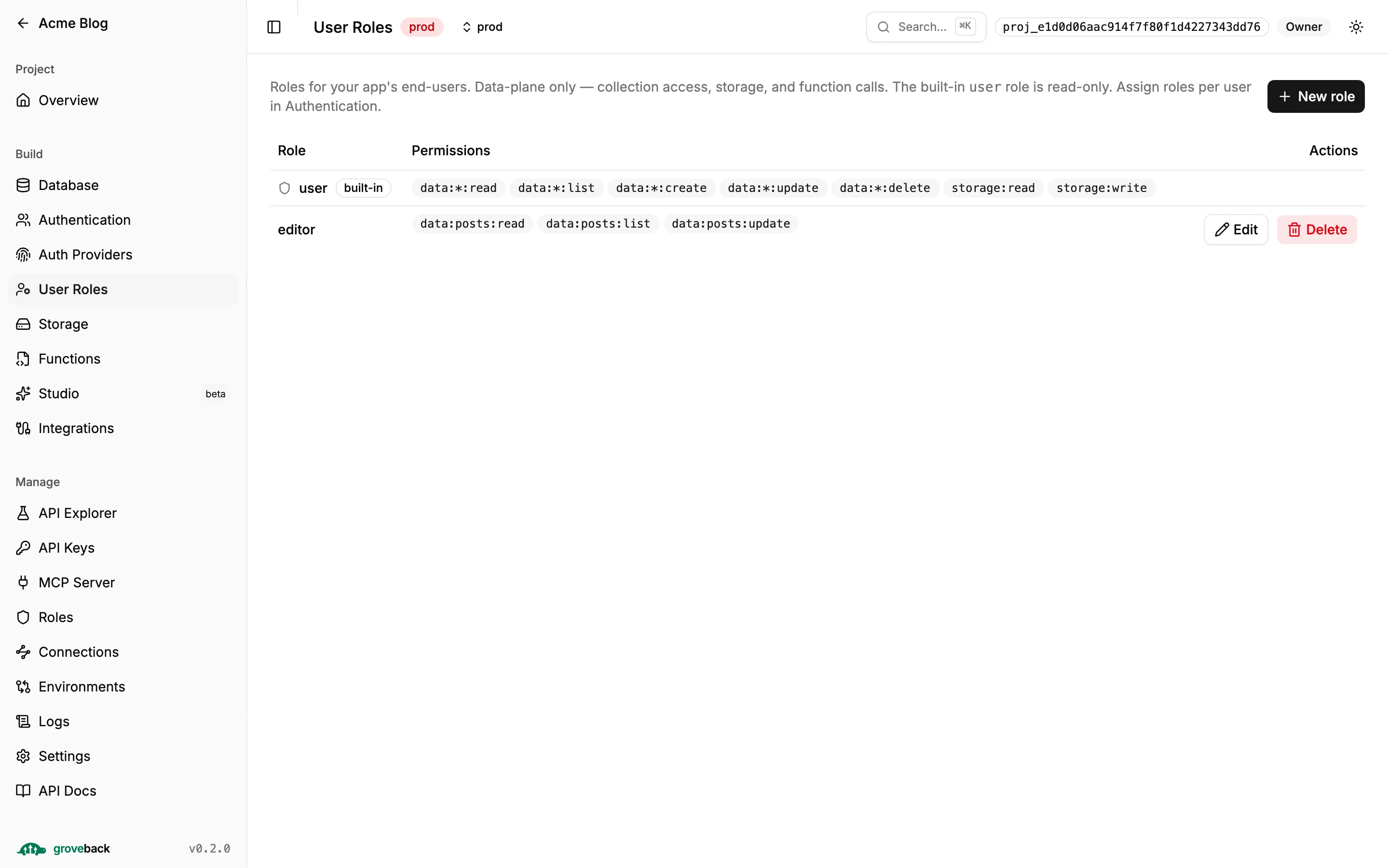
Section titled “End-user roles”The restricted catalog is the entire point. An end-user role may hold only:
data:<collection|*>:<read|list|create|update|delete>storage:read,storage:writefunctions:invoke
Never *. Never a bare data:* grant. Never the admin op. Never any :manage permission.
An end-user role can therefore never grant an administrative capability, no matter how it is
written.
{ "name": "premium", "permissions": ["data:articles:read", "data:articles:list", "data:comments:create", "storage:read"]}Assign it on the user:
curl -X PATCH "$URL/api/v1/admin/users/$USER_ID" \ -H "authorization: Bearer $ADMIN_KEY" -H 'content-type: application/json' \ -d '{"metadata":{"role":"premium"}}'The built-in user role is read-only. A role assigned to any user cannot be deleted (409).
Unknown role names resolve to user at token issuance — deliberately failing to the
default rather than closed, so a user is never locked out of your app by a data problem. The
admin write boundaries reject typos, so that fallback only ever covers legacy data.
API key scopes
Section titled “API key scopes”An API key does not hold arbitrary permissions; it holds scopes that expand to them:
| Scope | Expands to |
|---|---|
read |
data:*:read, data:*:list |
write |
data:*:create, data:*:update, data:*:delete |
admin |
* |
storage |
storage:read, storage:write |
functions |
functions:invoke |
Transport gating on top: read for GETs and vector search, write for data mutations,
admin for anything under /api/v1/admin/*. GraphQL derives it from the operation — queries
need read, mutations need write.
A key is not a policy bypass. Its identity is uid = <key id>, so documents it creates are
owned by the key; its role is Admin with the admin scope and service otherwise; and its
context carries token: { apiKey: true, scopes }, which a policy rule can reference:
{ "delete": { "filter": {}, "validate": "auth.token.apiKey == true" } }Managing keys:
curl -X POST "$URL/api/v1/admin/api-keys" \ -H "authorization: Bearer $ADMIN_KEY" -H 'content-type: application/json' \ -d '{"name":"ci","scopes":["read","write"]}'The raw key is returned exactly once. Only a SHA-256 hash is stored — a lost key cannot be
recovered, only rotated. Rotation keeps the id, name and scopes and kills the old secret
immediately. lastUsedAt is throttled to one write per key per minute, so it is approximate.
Where permissions come from, per caller
Section titled “Where permissions come from, per caller”| Caller | Permissions |
|---|---|
| End user with a session | Their end-user role’s list, from metadata.role. |
| Project member (after token exchange) | Their member role’s list for that project. |
| API key | The expansion of its scopes. |
| Anonymous | None — only rules with no $auth.* placeholder can match. |