

Collections & schemas
A collection is a MongoDB collection exposed over the data API. It can carry a schema, a policy, indexes and a vector config — all optional except the policy, without which nothing non-admin can reach it.
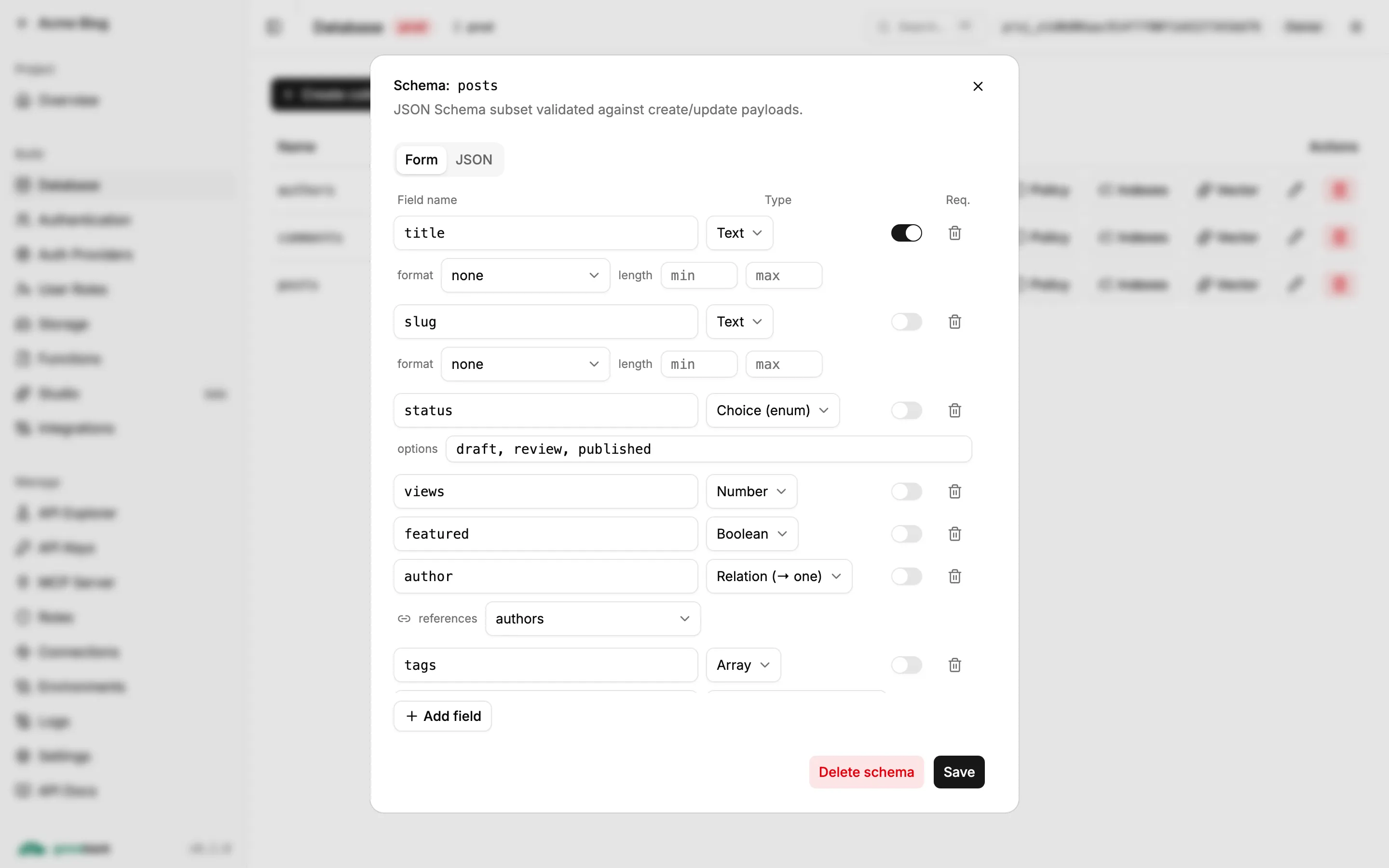
Two ways to create one
Section titled “Two ways to create one”They produce the same thing, so mix them freely.
The dashboard wizard
Section titled “The dashboard wizard”Best while you are still deciding on the shape. With grove dev running, open the dashboard
link it printed → Database → Create collection:
- Define — name and fields, each with a type (Text, Number, Boolean, Object, Array, Relation) and whether it is required.
- Access — pick a policy template: Public, Private (per owner), Admin-only writes or Custom. This is the step worth doing here — it writes correct policy rules for you.
- Review — the API you are about to get, in REST, GraphQL and SDK form, before anything is created.
Then bring it into the repo:
grove pull --target localWith grove dev --persist, that happens on its own when you stop the server.
Write the file
Section titled “Write the file”Best when you already know the shape, or are editing one that exists.
groveback/ meta.json collections/ notes.json{ "formatVersion": 1, "project": { "name": "my-app" } }{ "name": "notes", "schema": { "type": "object", "required": ["title"], "properties": { "title": { "type": "string", "maxLength": 200 }, "done": { "type": "boolean" }, "priority": { "type": "string", "enum": ["low", "high"] } } }, "policy": { "admin": {} }}Restart grove dev and it applies them.
Schemas
Section titled “Schemas”Validation is opt-in. A collection with no schema accepts free-form documents.
The validator implements a subset of JSON Schema draft 2020-12, and the subset is an allowlist — an unsupported keyword is rejected when you save the schema, not silently ignored at write time. A typo fails loudly, while you are looking at it.
Supported keywords
Section titled “Supported keywords”type · properties · required · additionalProperties · items · enum ·
minLength · maxLength · pattern · minimum · maximum · minItems · maxItems ·
description · title · format · x-ref
Of these, four are annotation-only and never affect validation:
| Keyword | What it is for |
|---|---|
description |
Documentation; becomes JSDoc in the generated client. |
title |
Documentation. |
format |
A hint the dashboard uses to pick an editor widget — e.g. "markdown". |
x-ref |
Declares a relation. See below. |
A full example
Section titled “A full example”{ "type": "object", "properties": { "title": { "type": "string", "minLength": 1, "maxLength": 200 }, "body": { "type": "string", "format": "markdown" }, "status": { "type": "string", "enum": ["draft", "published"] }, "views": { "type": "integer", "minimum": 0 }, "authorId": { "type": "string", "x-ref": "authors" }, "tags": { "type": "array", "items": { "type": "string" }, "maxItems": 10 } }, "required": ["title", "status"], "additionalProperties": false}Rules that bite
Section titled “Rules that bite”- The root schema must be
type: "object". requiredmust be an array of strings.patternmust compile as a regular expression.itemssupports only the single-schema form — tuples are not supported.additionalPropertiesis honored only in its booleanfalseform.x-refis scanned on top-level properties only. Nested and array refs are not resolved.
Validation runs on create, on full replacement (PUT), and per field on $set updates —
operator payloads are validated against the matching sub-schema.
Relations
Section titled “Relations”A x-ref on a type: "string" field names the target collection:
{ "authorId": { "type": "string", "x-ref": "authors" } }At write time a ref is just a string. The target collection is deliberately not checked for existence — you may create it later.
Refs are read by three things:
- REST, via
?expand= - GraphQL, which adds a sibling
<field>_reffield resolving the target document - the OpenAPI spec, and so the generated typed client’s JSDoc
Expansion is policy-gated. A referenced document you may not read resolves to null — it
never leaks existence.
System fields
Section titled “System fields”Three fields are stamped by the server and stripped from your payload: id, createdAt,
updatedAt. A fourth, ownerId, is forced from the authenticated caller on any non-admin
create.
create does accept a client-supplied id matching ^[A-Za-z0-9_-]{1,64}$ — URL-segment
safe — for idempotent retries. A duplicate returns 409 Conflict.
Indexes
Section titled “Indexes”Create an index for every field a policy filter mentions. Without one, each authorized list is a collection scan.
curl -X POST "$URL/api/v1/admin/collections/posts/indexes" \ -H "authorization: Bearer $ADMIN_KEY" -H 'content-type: application/json' \ -d '{"keys":{"ownerId":1},"unique":false}'In the bundle, indexes live alongside the schema:
{ "name": "posts", "schema": { … }, "policy": { … }, "indexes": [{ "name": "by_slug", "keys": { "slug": 1 }, "unique": true }]}System indexes such as id_1 cannot be dropped.
Reserved names
Section titled “Reserved names”A handful of names are refused, and it is worth knowing before you design a schema — users
and projects are the two that catch people out.
System collections, which Groveback already owns with their own endpoints:
users · sessions · verification_tokens · memberships · projects · organizations
API route names, which would be unreachable at /api/v1/<name>:
auth · admin · billing · control · storage · graphql · health · realtime ·
run
Plus anything starting with __ or system..
Creating one fails with "users" is a reserved collection name, and nothing is created. The
same check applies to database-trigger functions and webhooks.
Pick another name — app_users, client_projects, boards. users in particular is
reserved because Groveback gives you end-user auth: sign-up, login, sessions and password
hashing live at /api/v1/auth/*. For extra per-user fields, keep a separate collection keyed
by the uid.
Renaming and dropping
Section titled “Renaming and dropping”curl -X POST "$URL/api/v1/admin/collections/posts/rename" \ -H "authorization: Bearer $ADMIN_KEY" -H 'content-type: application/json' \ -d '{"to":"articles"}'Dropping a collection deletes its documents. Note that grove push --prune will never
delete a collection or a bucket — those hold data, so removing one is a deliberate act in the
dashboard or through the API.